Your setup,
written down once.
A Mac app that keeps one folder of plain Markdown pages describing your setup — machines, services, agents, backups, recovery steps. Your AI agents can read it and report to it, but only you and one operator agent can write it. The folder is the truth; the app is a window onto it.
Made for Mac users who run more than one AI agent. Free and open source (MIT).
Section 01 — The app
A window onto the folder.
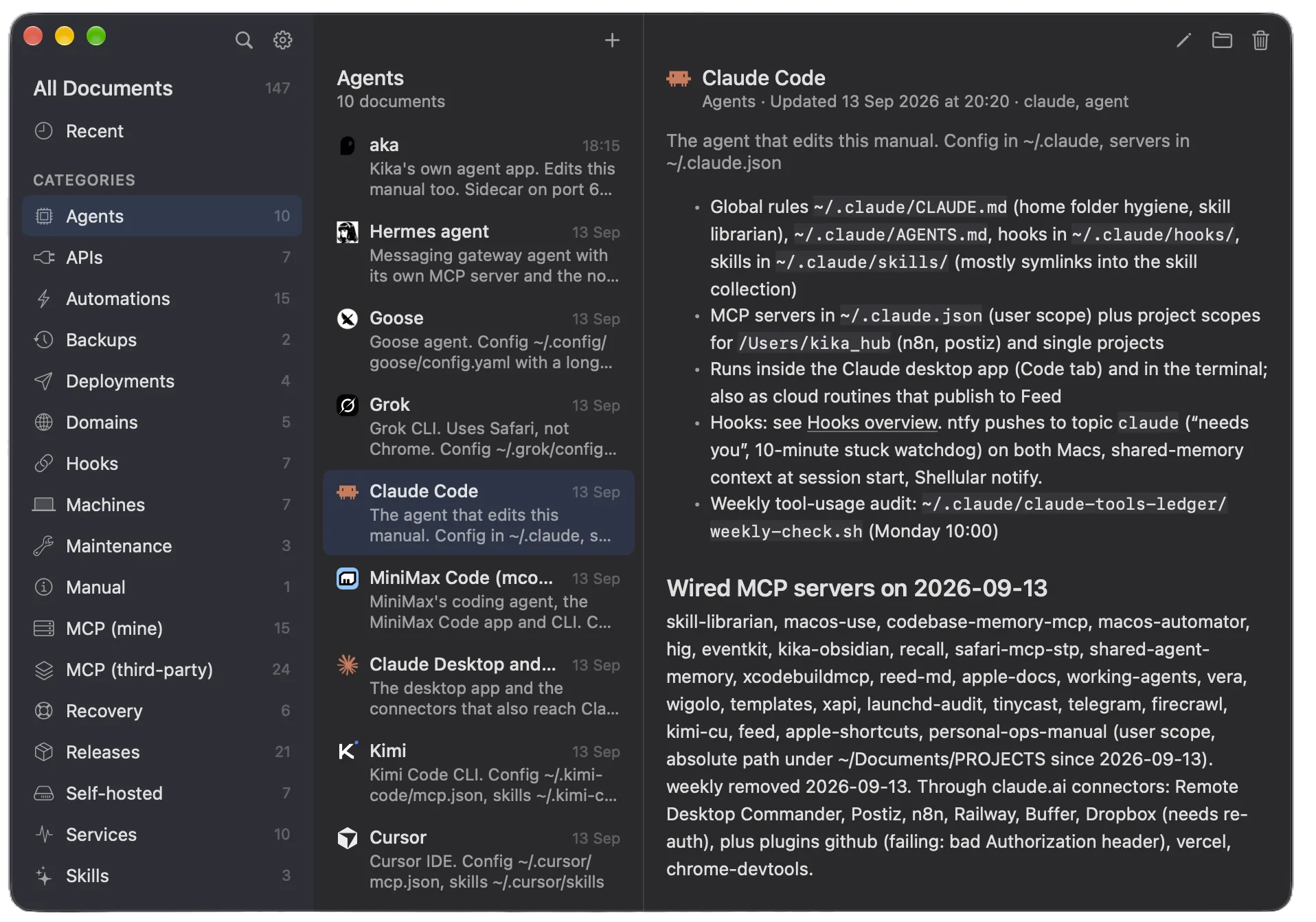
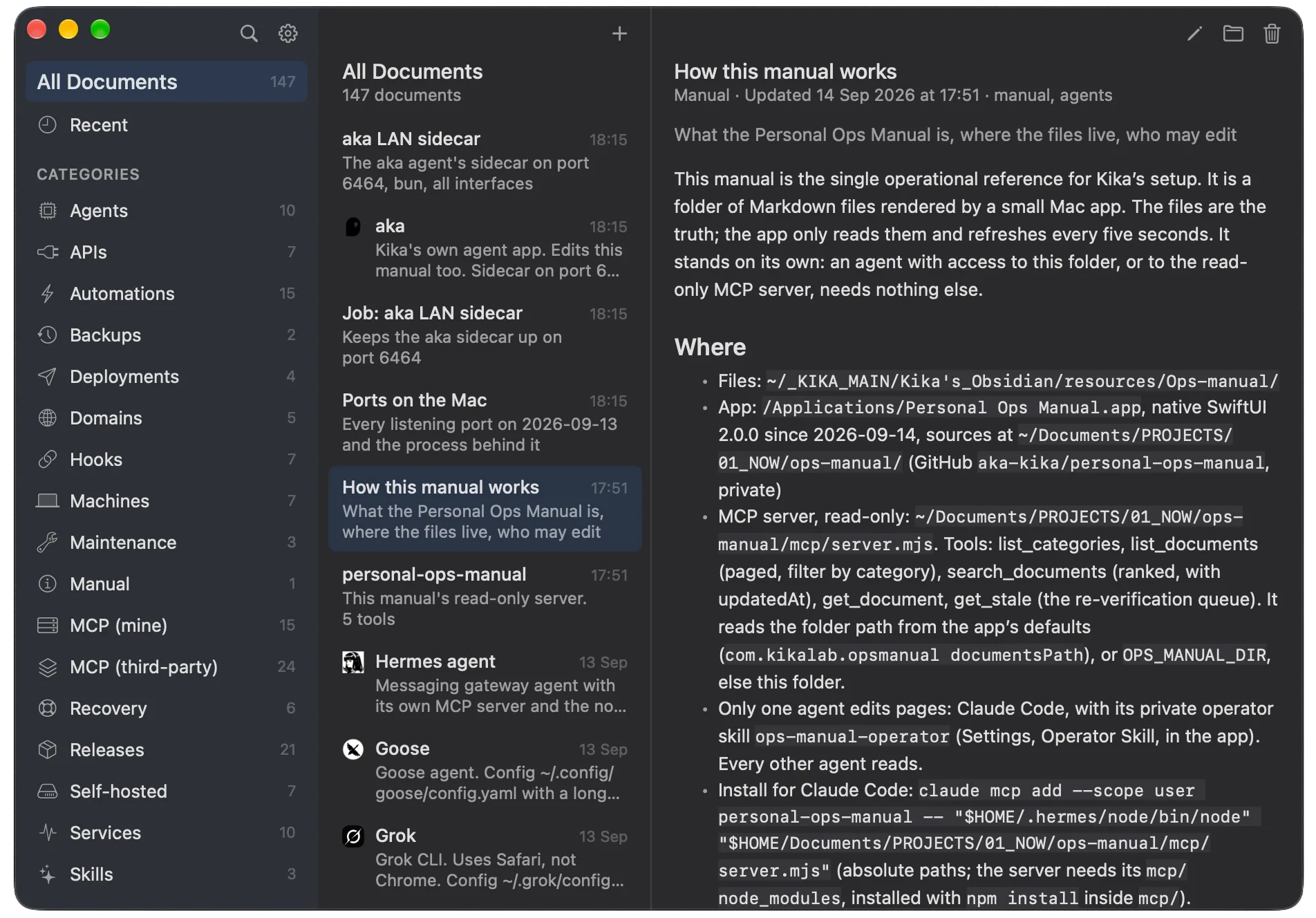
Three columns, one window.
Categories on the left, pages in the middle, the reader on the right. Pages link to each other with [[brackets]] — open one and the app shows what points back. Search, a New and Edit sheet, settings. Everything the folder knows, nothing it doesn't.
- Wiki links with [[brackets]]
- Linked from — nothing is a dead end
- Search across every page
One page per thing.
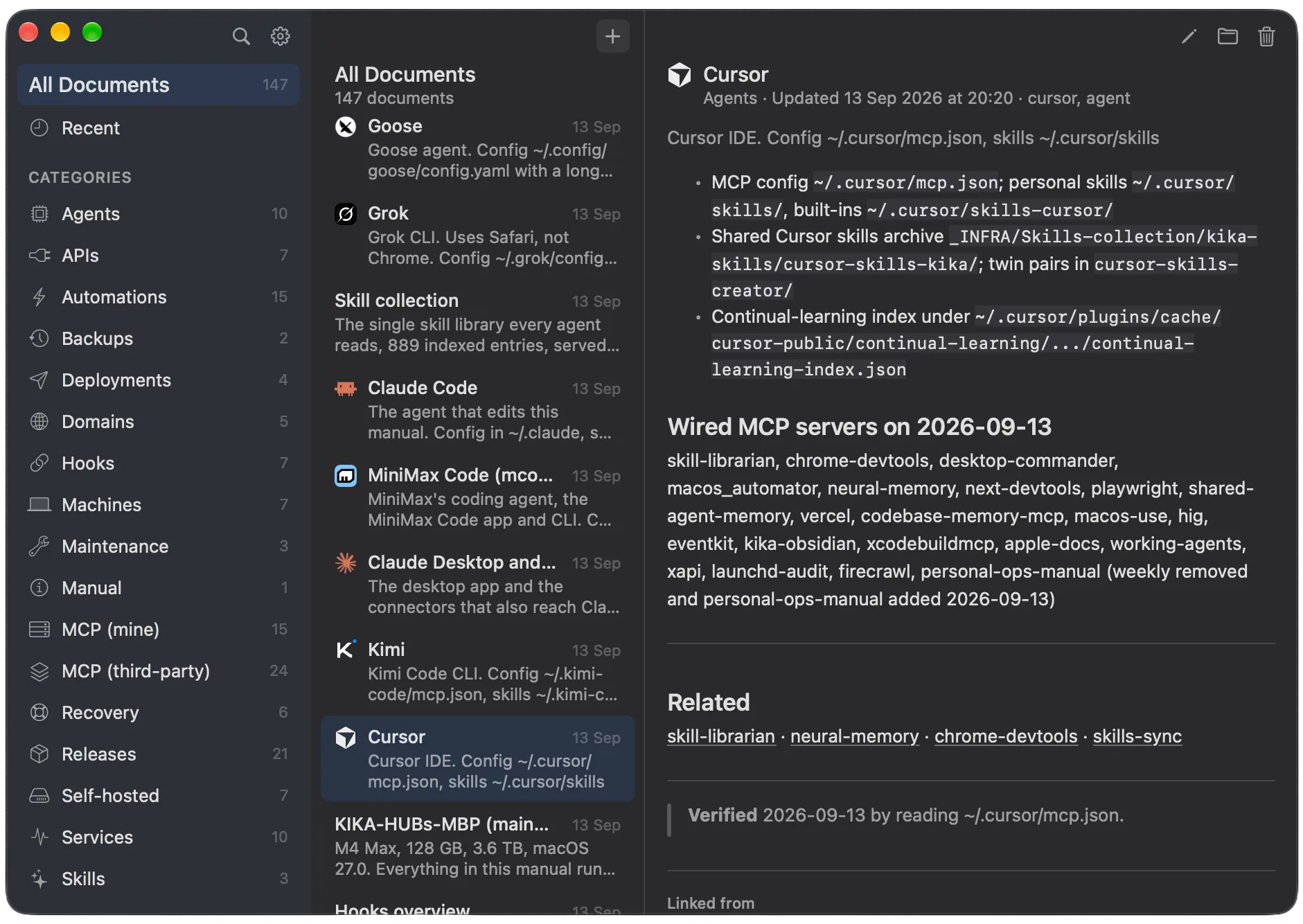
Every machine, service or agent gets exactly one page, and every page looks the same: one line that says what it is, a few short sections, links to related pages — and a last line saying when someone last checked the facts.
- The same sections on every page
- A Verified line with date and source
- Frontmatter shown as rows
Nothing is a dead end.
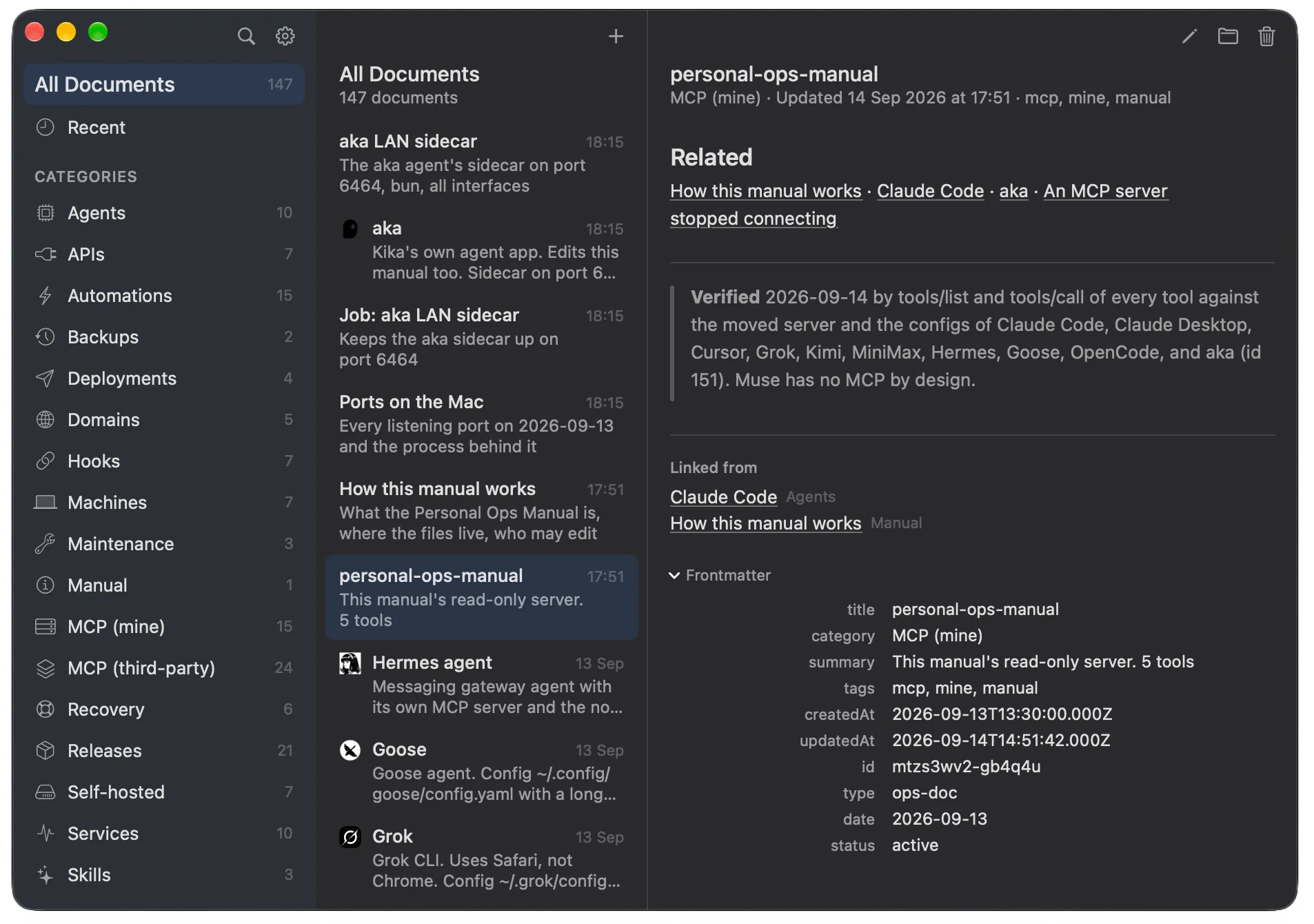
Pages point at each other, and the app shows which pages point back. A small frontmatter block holds each page's category, tags and dates. The shape is what keeps a folder of notes from becoming a pile — and the files stay readable by any notes app, by grep, by anything.
- Bidirectional links, always
- Frontmatter as first-class rows
- Plain files, forever portable
The manual describes itself.
A page explains the manual to newcomers: where the files live, how to connect an agent, who may change things. And everything you ship gets a page under GitHub — what it is, where the code lives, the latest version, the install line. One place to look instead of five browser tabs.
Section 02 — MCP server
Seven tools.
Read-only by default.
- list_categoriesEvery section of the manual, with page counts.
- list_documentsThe pages, filtered by section and paged.
- search_documentsFind pages by keyword, ranked: title, tags, summary, body.
- get_documentRead one page: body, tags and properties.
- get_stalePages whose facts may need re-checking.
- report_changeinboxAn agent files a one-line note to the operator. Its only write.
- list_reportsinboxWhat agents have reported, waiting for the operator.
Hand it to any AI assistant you run. It can read every page but change none — if it learns something new about your setup, the only thing it may do is leave you a one-line note. Your personal notes and keys stay out of reach. For file-level safety, scripts/ops-lock.sh locks the pages with the macOS locked flag. Node 18 or newer.
One operator writes.
The folder is the source of truth.
Plain Markdown files with frontmatter, in one folder. The app is a window onto that folder; the MCP server is another. Neither owns the data.
Readers read, and report.
Any number of agents read the manual through the server. When one changes something in your setup, it files a one-line report — that append is the only write it gets, and your personal notes stay out of reach.
One operator writes.
The person, by hand or through the app, and the one agent designated as operator. A change made by anyone else is a bug. On a Mac, scripts/ops-lock.sh can back the rule with the macOS locked flag on every page, so even a shell command gets "Operation not permitted" (the _inbox folder stays open for reports).
“If all agents can edit, it is the same thing as having the folder just in the notes app — eventually it is outdated, messy, broken. Here it is all organized, consistent, and agents do not need vault access to reach this info, so personal keys and files are not reachable at all.”
— Kika, the day the rule was made. The operator is a bottleneck by design; that delay is the price of a manual that stays true.
Section 04 — Install
Up and running in minutes.
Install the app
Or grab the zip from Releases, unzip it, drop the app into /Applications. Developer ID signed and notarized — no Gatekeeper gymnastics.
Or build it from source
Ad hoc signed, for the machine you build on. XcodeGen and Swift 6.
$ cd personal-ops-manual
$ ./build.sh --install # or ./release.sh --publish
Wire up the readers
The MCP install lines, the reader skill for every agent and the operator skill for one ship inside the app — open Settings or read docs/FIRST-SETUP.md. The MCP server needs Node 18 or newer.
Section 05 — Questions
Plain questions, plain answers.
What is Personal Ops Manual?
A native Mac app and an MCP server over one folder of plain Markdown pages that describe your setup: machines, services, agents, domains, backups and recovery steps. The folder is the truth; the app and the server are two windows onto it.
Which AI agents can use it?
Any agent that can talk to an MCP server. The server has seven tools: five read-only ones for pages, plus report_change and list_reports for the inbox. It needs Node 18 or newer.
Can agents edit my files?
No. Readers read, and when they learn something new they leave a one-line report in the inbox. Only you and one operator agent write the pages. On a Mac, scripts/ops-lock.sh can also lock the pages with the macOS locked flag, so even a shell command gets "Operation not permitted".
Is it free?
Yes. Personal Ops Manual is free and open source under the MIT license. The code is on GitHub at aka-kika/personal-ops-manual.
Which Mac do I need?
macOS 26 or newer. The app is built with Swift 6 and SwiftUI, signed with a Developer ID and notarized.